[Axiom] Fully Automated Development
Learn how to let AI work for you while you sleep, so you only have to handle acceptance and debugging in the morning.
![[Axiom] Fully Automated Development](/_next/image?url=https%3A%2F%2Fkazami.me%2Fstorage%2Fposts%2F2025-10-30%2Fhero%2F1761791636783-c8a4487f-1d49-4e8c-b119-1622b8f6ff37.png&w=3840&q=75)
[Axiom] Fully Automated Development
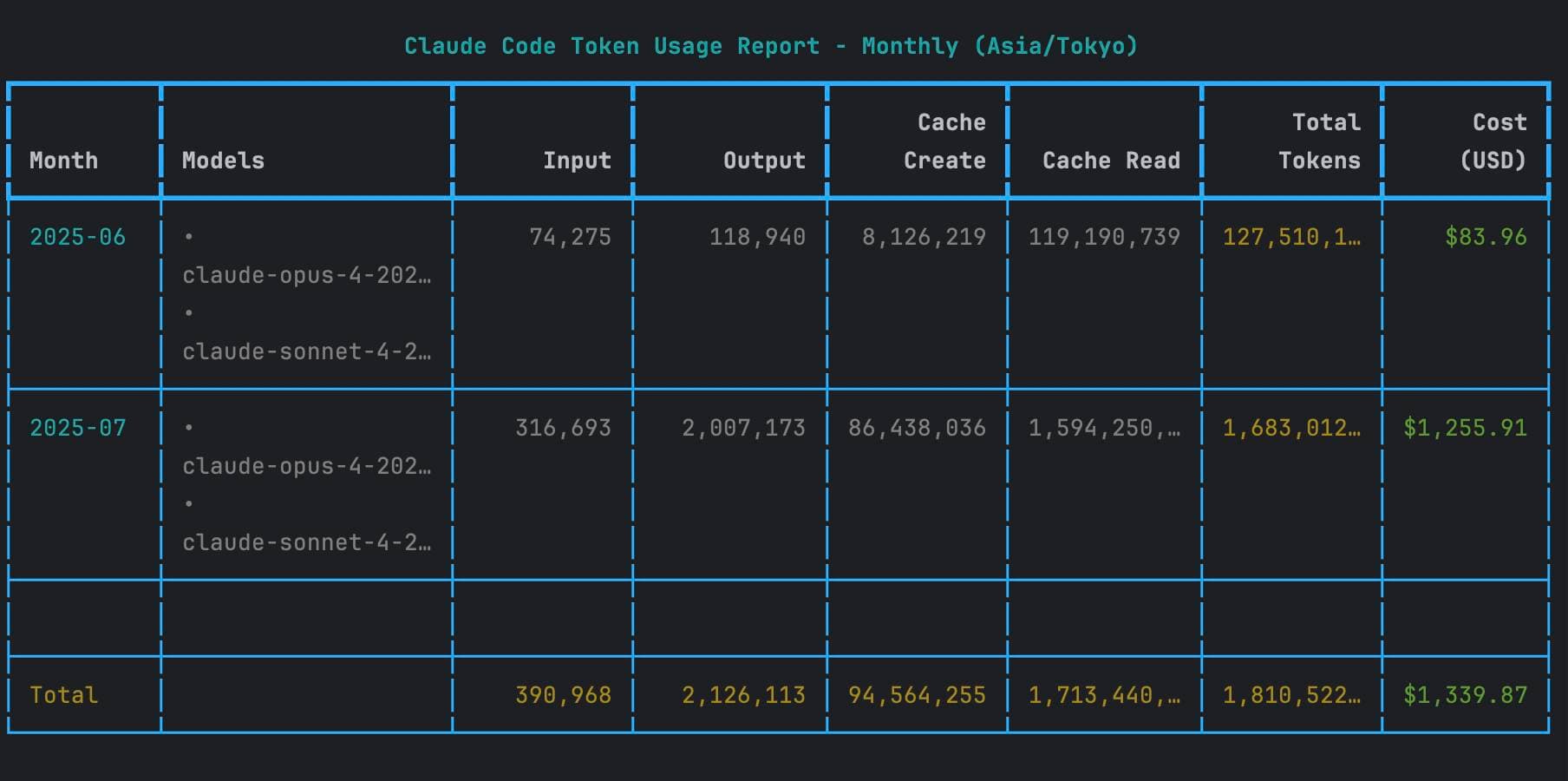
Currently, mainstream AI models have a 5-hour limit, with some even having weekly restrictions. For instance, the Claude Code I used to frequently rely on has a 5-hour token usage limit; exceeding this will get you locked out, leaving you to wait for cooldown. Of course, upgrading to the $200 Pro Max plan almost eliminates this hassle, but for me, during intense development periods, even the Pro Max plan's tokens are often insufficient. Thus, I frequently calculate the reset times to maximize utilization, throwing more complex questions to OPUS right before bed because OPUS consumes a lot of tokens, after which I can sleep soundly.

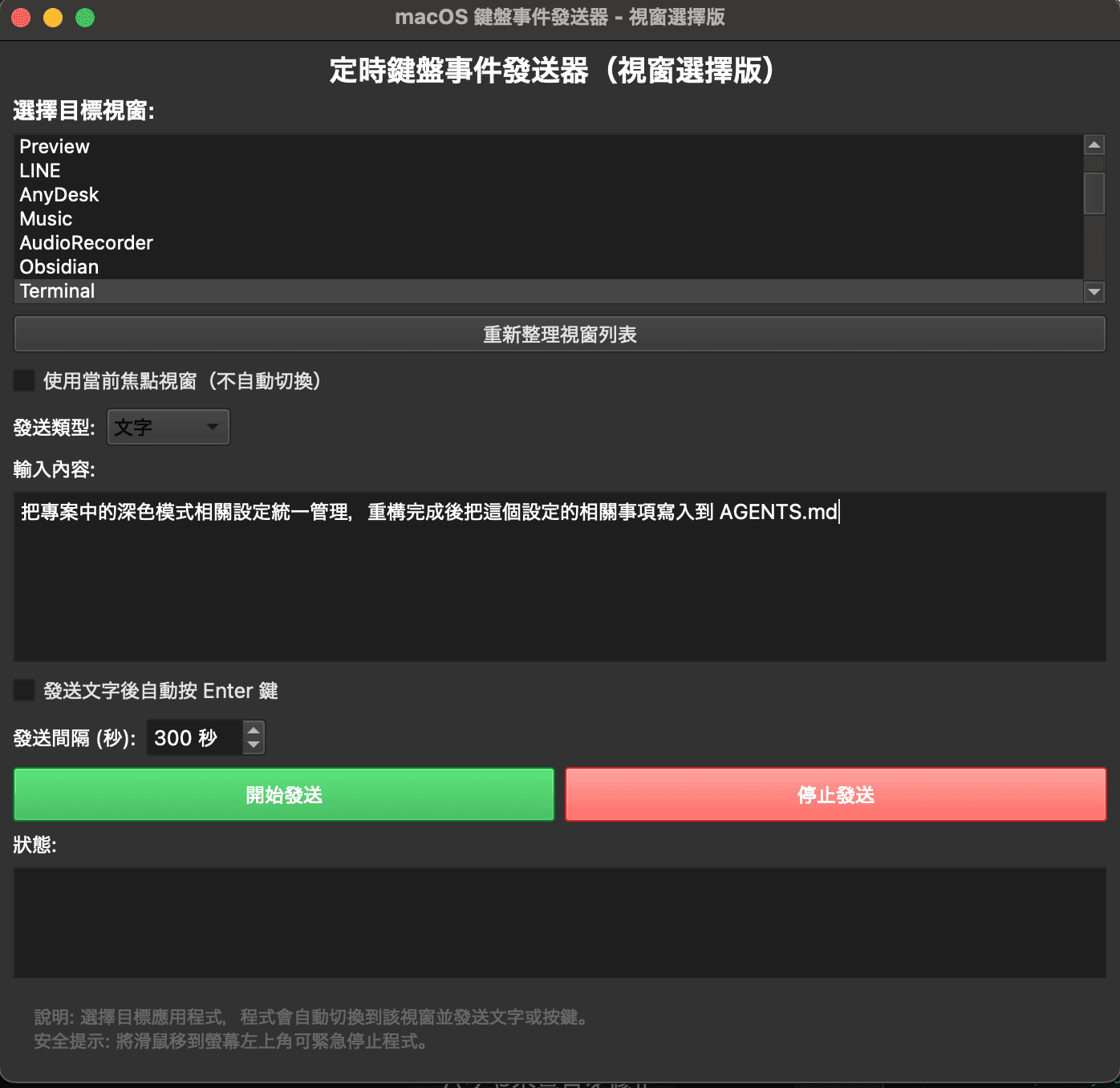
Later, a thought struck me—why not have AI perform tasks while I am asleep? After brainstorming this idea, I needed to consider how to achieve it. Firstly, I need to use the terminal interface I summoned Claude Code from and give it commands. This process was what I normally did manually, meaning the automation challenge lies in how to send the "commands" to the target window. In other words, as long as I can devise a way to send commands to automation, the concept that AI will work for me while I lie down comes to fruition. Alright, the problem isn’t difficult; let’s quickly summon Claude Code and plan out an automated keyboard command sender. Here's the completed design:

Awesome! As usual, it’s homemade XD, but it doesn’t matter since it works well for me—the functionality is what matters!! After trying it out, it executes just as I wanted; fantastic!!
The interface above is in its early stage, only serving for validation. In fact, as development progressed, it evolved to:
- I prepared several document files, segmented, with each segment being a prompt task.
- There are multiple tabs, each responsible for a designated document file, sending one segment at a time to the specified window.
- If the final segment has completed, the keyboard text command sending action is terminated.
So, do you see it?
<span className="text-rose-500">This showcases the power of this tool; while you sleep, AI continues to execute tasks for you!!</span>
So, every morning I wake up and review the AI’s outputs while also debugging. Trust me, if your system planning and prompt design are good with clear requirements, the output result will be satisfying.
For instance, if you have a project with many functionalities that you want to run simultaneously, you can open a work tree or branch, depending on your preference, and open four tabs before going to sleep, commanding it to work. When you wake up, you can verify whether each functionality passed or failed, and
<span className="text-sky-500">your job is to think and plan what tasks to delegate to the AIs at night.</span>
Context engineering is certainly important, but here I am proposing this lazy multitasking concept—in such convenient circumstances, isn’t it appealing??